Strategy
Comparing CMS Publishing Workflows: Where Content Teams Lose Time
A stage by stage comparison of CMS publishing workflows, showing where content teams lose days to briefs, review, assets, scheduling and localization.
What to take away
- Lost publishing time sits in handoffs, not in the editor window.
- An editorial calendar plans intent, while a publishing schedule tracks slots, owners and dependencies.
- A CMS publishing workflow comparison should time six stages instead of scoring feature grids.
- Headless systems cut template coupling but add preview and editorial tooling work.
- Consent, disclosure and French language review belong inside the approval step.
Where Publishing Time Actually Disappears
Teams can usually name the publish date. Fewer can name the hour where work stalls. Time leaks before anyone opens an editor: briefs without a named approver, images requested after drafting, and approvals parked in a channel nobody checks.
Start with a stage map. Trace one article from assignment to live URL, then record arrival and departure times at every stage. Six stages cover most content teams. Tools differ between organizations, but the stalls repeat.
Comparing Six Publishing Stages
Tools teams use
- Brief and assignment
- Notion, Google Docs
- Drafting
- WordPress, Webflow, Contentful
- Review and legal
- Slack, email, Jira
- Asset preparation
- Figma, Drive, Airtable
- Scheduling
- CMS scheduler, HubSpot
- Localization
- Translation vendors
Where the wait appears
- Brief and assignment
- No named approver, vague audience
- Drafting
- Editor access, block and template limits
- Review and legal
- Feedback split across several threads
- Asset preparation
- Alt text and usage rights cleared late
- Scheduling
- Timezone and slot collisions
- Localization
- Quebec French review timing
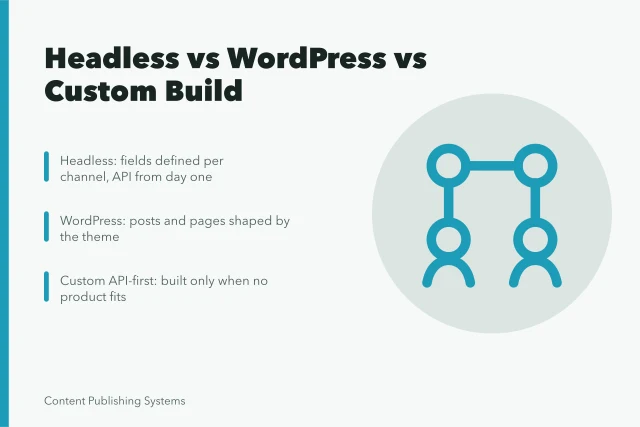
A content management system like WordPress bundles editing, media and publishing in one admin panel, which shortens setup but couples entries to theme decisions.
Headless CMS separates the content store from the presentation layer, so one entry can feed a website, an app and a kiosk. The trade is preview coverage, editorial workflows and image handling, which teams rebuild or buy.
A Timed Audit in Four Steps
- List the publish timestamps of the last twenty items.
- Ask each owner for hours spent between stages, then compare that with calendar gaps.
- Flag every handoff that waited more than one business day.
- Rank stages by total waiting time, not by how difficult the work felt.
The output is a ranked list of friction, which feeds prioritized content planning before any deadline is fixed. Repeat the audit each quarter, since small fixes such as pre-approved image sets often save more days than a platform migration.
Four-Step Timed Audit
- List publish timestamps of last twenty items
- Ask owners for hours between stages
- Flag handoffs waiting over one business day
- Rank stages by total waiting time
Editorial Calendar vs Publishing Schedule
An editorial calendar captures intent: topic, audience, format and target month. A publishing schedule captures execution: the slot, the owner, the dependencies and the exact publish time. Mixing them produces a full calendar and an empty week.
A calendar answers what we plan to say. A schedule answers what can go live on Tuesday at 9 a.m. Eastern.
Canadian campaigns add a step. Commercial publications aimed at Quebec must respect the Charter of the French Language, and email sends must satisfy CASL consent and unsubscribe rules.
Tool choice changes how much coordination the platform absorbs. Teams comparing Webflow vs WordPress for content teams find that editorial control, plugin upkeep and data hosting decide the answer more often than page speed does.
Example: A Two Week Launch That Slips Four Days
A US software team schedules a product explainer for a Tuesday. The brief is approved Monday. The draft arrives Wednesday because the writer lacked API details, and legal review waits two days for a Slack thread to resolve.
Assets arrive Friday without alt text. The editor rebuilds a hero block, then republishes twice after a template change. The piece goes live Saturday, four days late, and no single tool shows the cause.
Sponsored versions of that explainer need a disclosure check during review, because the FTC native advertising guide expects readers to recognize paid content.
Where Platform Costs and Lock-In Show Up
Subscriptions are the smallest line. Editor training, preview tooling, plugin maintenance and review labor usually dominate, and they scale with the number of people who touch an entry.
Tracking hours per published item before a platform decision keeps the comparison honest. Cost, publishing workflow and plugin lock-in shift the arithmetic, and US state privacy law adds data hosting questions for US audiences.
Two weeks of rework costs more than most annual licenses, so measure before you migrate.