Strategy
Webflow CMS Publishing Limits: When Content Teams Outgrow the Editor
Diagnose Webflow CMS publishing limits by counting collections, items, editors, and drafts, then identify migration triggers before content operations stall.
What to take away
- Webflow CMS publishing limits show up as collection caps, item caps, editor seats, and publish bottlenecks.
- Webflow's public plan matrix lists 2,000 CMS items on the CMS plan and 10,000 on the Business plan, with 20 and 40 collections.
- A team outgrows the Editor when approvals, scheduled publishing, and multi-locale content require roles Webflow does not provide natively.
- The clearest Webflow to WordPress migration triggers are CSV export gaps, dynamic URL redirects, and plugin lock-in risks.
- Diagnose before migratingcount collections, items, editors, drafts, and API calls, then compare those numbers to Webflow's current plan matrix.
Collection caps and schema sprawl
Webflow CMS Collections hold structured content. Each collection has fields, reference fields, and a schema. Webflow's plan matrix limits how many collections a site can create. The CMS plan lists 20 collections, and the Business plan lists 40.
Webflow Plan Collection Caps
CMS plan
- Collections
- 20
- CMS items
- 2,000
- Editor seats
- 3
Business plan
- Collections
- 40
- CMS items
- 10,000
- Editor seats
- 10
Reference fields and multi-reference fields add complexity. They also make CSV exports harder to reconstruct. A content team that adds separate collections for authors, events, glossary terms, and locations can hit those caps within a year. See the Webflow overview for how collections fit the visual builder.
Item limits and the 10,000 record ceiling
Each CMS item is a record inside a collection. Webflow's plan matrix lists 2,000 CMS items on the CMS plan and 10,000 on the Business plan. A single collection may also have a per-collection ceiling. Daily news, product updates, or listing pages inflate item counts quickly. When a collection approaches that ceiling, publishing slows and exports become fragile.
CMS Item Ceilings by Plan
- 2000CMS plan
- 10000Business plan
A content management system defines item counts, fields, and delivery rules, so the ceiling is a platform choice, not a content choice. Webflow's Data API rate limits can throttle bulk updates. If your team runs nightly syncs, watch for failed jobs. Read the CMS overview for those structural differences.
Editorial workflow limits in Webflow Editor
Webflow Editor gives content teams a visual editing surface. It does not provide native roles for writer, editor, legal reviewer, and publisher. Teams work around that with shared logins, staging projects, or manual approvals in email. Those workarounds create Webflow publishing workflow problems. Content marketing teams often need more granular permissions than the Editor offers.
The Editor also lacks native content staging for individual items. A draft can sit invisible until a full site publish. That delay matters when several writers prepare a campaign.
Example: a 12-person team hits the wall
A 12-person content team runs a Webflow site with 30 collections and 8,500 items. Six editors share three seats. Legal review happens in a shared document. Scheduled posts depend on a project manager. The team misses launch dates.
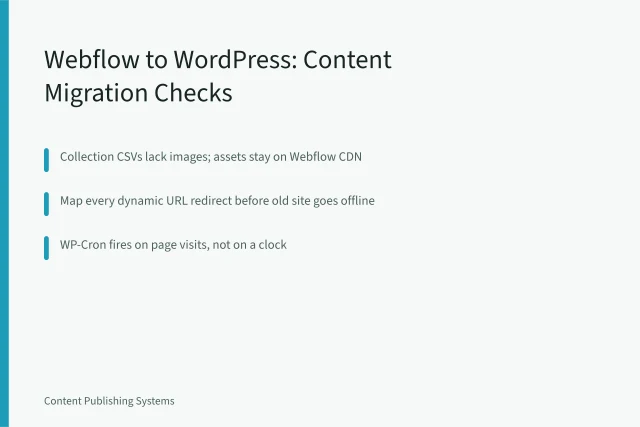
They export content to test a move. Before you do the same, run the Webflow to WordPress migration checklist to catch export gaps and redirect failures.
A pre-migration diagnosis checklist
Pre-Migration Diagnosis Checklist
- Count CMS items per collection and site-wide
- Count collections and reference fields
- Count editor seats and roles
- Count monthly publishes and scheduled posts
- Test a CSV export of every collection
- Test dynamic URL redirect mapping
- List API calls per day vs rate limits
Table: Webflow limits and migration signals
Webflow limits and migration signals
| Limit area | Documented plan cap | Migration signal |
|---|---|---|
| CMS items | 2,000 on CMS plan, 10,000 on Business | Collection approaches cap or export times out |
| Collections | 20 on CMS plan, 40 on Business | Team needs more than 40 content types |
| Editors | 3 on CMS plan, 10 on Business | More than 10 people need publishing access |
| Scheduled publishing | Editor lacks native approval chains | Legal or brand review blocks launch |
| API requests | Webflow Data API rate limits apply | Automation hits throttling or failed syncs |
Webflow to WordPress migration triggers
WordPress offers roles, scheduled posts, and a plugin ecosystem. It also introduces WP-Cron, which depends on traffic for scheduled publishing. CSV exports from Webflow may drop rich text, reference fields, and multi-reference data. Dynamic URLs need redirect maps. Plugins can create lock-in when they own custom post types. Read the WordPress overview for architecture and plugin behavior.
When a headless CMS is the better bridge
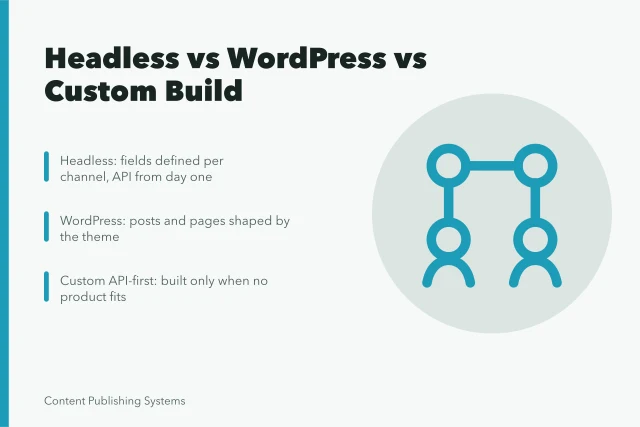
A headless CMS separates content storage from presentation. That can solve multi-channel publishing without a full WordPress move. Headless options include Contentful, Sanity, and Strapi. Each shifts editorial work into a separate interface. But it adds API and frontend work. Compare the migration cost against a headless rebuild. Content Publishing Systems covers these trade-offs.